Yes, a TV can be mounted on a wall finished with drywall. The important question is what will support the mount behind the drywall.
In many homes, drywall is attached to wood or metal studs. Depending on the mount and wall construction, the installation may need to be secured to those studs rather than to the drywall alone. Some mounting systems are specifically designed for other attachment methods, but they must be suitable for the TV’s weight, the mount, and the wall.
Before drilling, check the wall construction and the instructions for your particular mount. A secure installation depends on the entire setup—not just the weight rating printed on a box of anchors.
Drywall vs. Studs: What Actually Holds the TV?
Drywall creates the smooth surface you see inside the room. It isn’t the same thing as the framing behind it.
Studs are vertical framing members that support the wall assembly. A mount designed for wood-stud installation typically uses fasteners that pass through the drywall and into the studs. The studs then provide the support specified by the mount manufacturer.
But not all walls are built the same way. A wall may have metal studs, masonry behind the surface, or an unusual framing layout. Before buying hardware or choosing the final screen position, confirm what you’re working with.
Is Drywall Alone Strong Enough?
You may see “no-stud” TV mounts or anchors advertised for drywall. Some are designed for specific TVs, wall thicknesses, and mounting configurations. That does not mean any drywall anchor is appropriate for any TV.
The suitability of a drywall-only installation depends on the complete system, including:
- The type and condition of the drywall
- The anchor or mount design
- The TV and mount weight
- The number and placement of fasteners
- Whether the mount remains flat or extends outward
- The manufacturer’s installation requirements
If the mount instructions require attachment to studs or masonry, don’t substitute ordinary drywall anchors. If you can’t verify that a drywall-only system is approved for your exact setup, choose an approved attachment method or consult a professional.
Why the Type of TV Mount Matters
Not all mounts place the same demands on a wall.
Fixed and Tilting Mounts
Fixed and tilting mounts generally keep the TV relatively close to the wall. They may be a good choice when you watch from a consistent seating area and don’t need to move the screen frequently.
Even with a low-profile mount, follow the manufacturer’s requirements for wall type, fasteners, weight capacity, and TV compatibility. A lighter TV does not automatically make an unsupported installation safe.
Full-Motion Mounts
A full-motion mount extends the TV away from the wall and allows it to swivel or tilt. That extension creates additional leverage on the attachment points, so the installation must be suitable for the mount throughout its intended range of motion.
Don’t assume that hardware rated for a fixed mount will work with an articulating arm. Use the fastening method specified for the full-motion mount and your wall construction.
How to Check What’s Behind the Wall
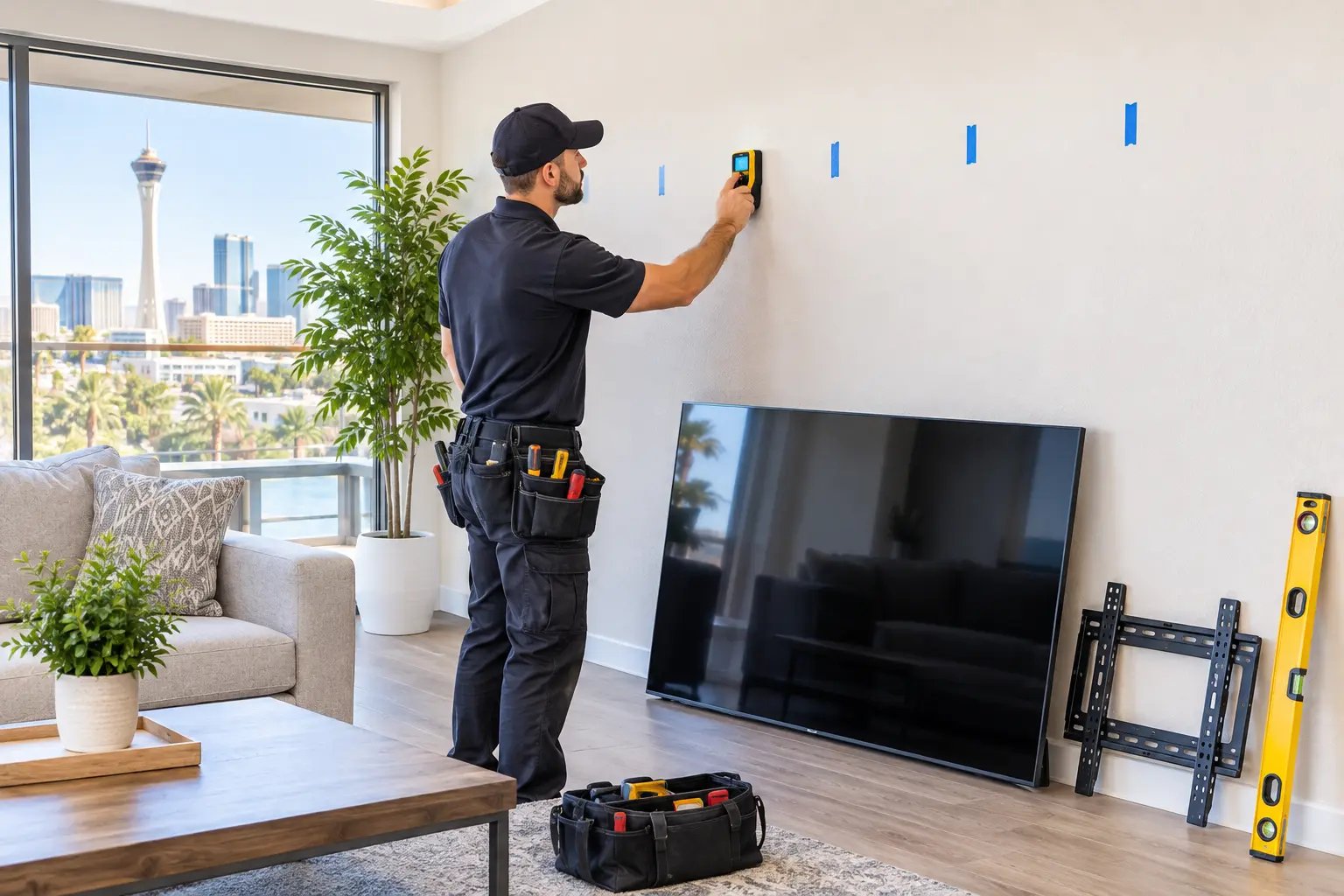
A stud finder can provide a useful starting point, but its readings should be confirmed before mounting. Plumbing, electrical wiring, metal brackets, and other materials can also affect some devices’ readings.
A practical assessment includes:
- Identify the likely framing. Use a stud finder according to its instructions and mark the indicated locations with removable tape.
- Check the mount’s requirements. Compare the mounting holes and required stud spacing with the framing locations.
- Consider what else may be behind the wall. Outlets, switches, plumbing fixtures, and nearby equipment can indicate that wiring or pipes may be present.
- Confirm the support and fastener positions using an appropriate method. If you’re uncertain about the framing or hidden utilities, stop and get help before drilling.
A stud finder can miss or misidentify objects, and it cannot guarantee that a drilling location is free of wires or pipes. In particular, be cautious above or beside electrical outlets and on walls shared with bathrooms or kitchens.
What If the Studs Aren’t Where You Want the TV?
The ideal viewing position doesn’t always line up with the available framing. That doesn’t necessarily mean you have to give up on the location, but it may affect the equipment you choose.
Possible options include:
- A mount with horizontal adjustment, if it can be installed on the available supports and still positions the screen where you want it.
- A different mount design approved for the wall and TV.
- A slight change in screen position that keeps the TV comfortable to view while allowing an approved installation.
- A properly designed support solution, assessed and installed by a qualified professional where appropriate.
Avoid shifting screws away from the locations required by the mount manufacturer just to center the screen. The bracket’s instructions—not the appearance of the finished TV alone—determine acceptable attachment points.
Check the TV and Mount Specifications
The wall is only one part of the fit. Before installation, confirm:
- Weight capacity: The mount must support the TV’s weight without its stand, plus any accessories the mount is required to carry.
- VESA pattern: Check that the spacing of the mounting holes on the TV matches a pattern supported by the mount.
- Screen-size range: Follow the mount manufacturer’s compatibility guidance.
- Mounting screws and spacers: Use the sizes specified for your TV and mount. Screws that are too long can damage the TV; screws that are too short may not hold properly.
- Wall compatibility: Confirm that the manufacturer approves the mount for your wall type and fastening method.
Keep both manuals nearby during installation. If they appear to conflict or the supplied hardware doesn’t fit, contact the manufacturer rather than forcing the parts.
Don’t Forget Cables and Power
Plan where the TV’s power cord and signal cables will go before the bracket covers the wall. Check that cables are long enough for any movement if you’re using a full-motion mount.
A surface-mounted cord cover may help organize visible cables. If you want power concealed inside the wall, use an approved solution that complies with local electrical requirements. Do not run a standard TV power cord inside the wall. A qualified electrician can advise on a new outlet or suitable in-wall power solution.
When to Call a Professional
Professional TV mounting is worth considering when:
- You can’t confidently identify the wall construction or framing.
- The mount’s fastening requirements don’t match the available supports.
- The wall is damaged or has been repaired near the intended mounting location.
- You’re concerned about wiring or pipes behind the wall.
- The TV is too large or heavy to lift and position safely.
- You’re installing a full-motion mount and aren’t sure which hardware or support is appropriate.
If the wall has been affected by a leak, address the moisture source and repair damaged material before mounting. Our guide to water-damaged drywall explains why drying and assessing the area come before cosmetic repair.
A TV can look perfectly positioned while its attachment points are hidden from view. Taking time to verify the wall, hardware, and manufacturer’s instructions helps ensure that the finished installation is both functional and secure.

 8:00am – 6:00pm, Mon-Thur : 8:00am – 4:00pm, Fri-Sat: Sun-Closed
 Americanwood St, Las Vegas, NV 89130, United States



 Americanwood St, Las Vegas, NV 89130, United States
 savemorehm@gmail.com